StarShare IPTV Tutorial

Follow these detailed steps to set up your IPTV service on various devices.

Step 1: Download and Install
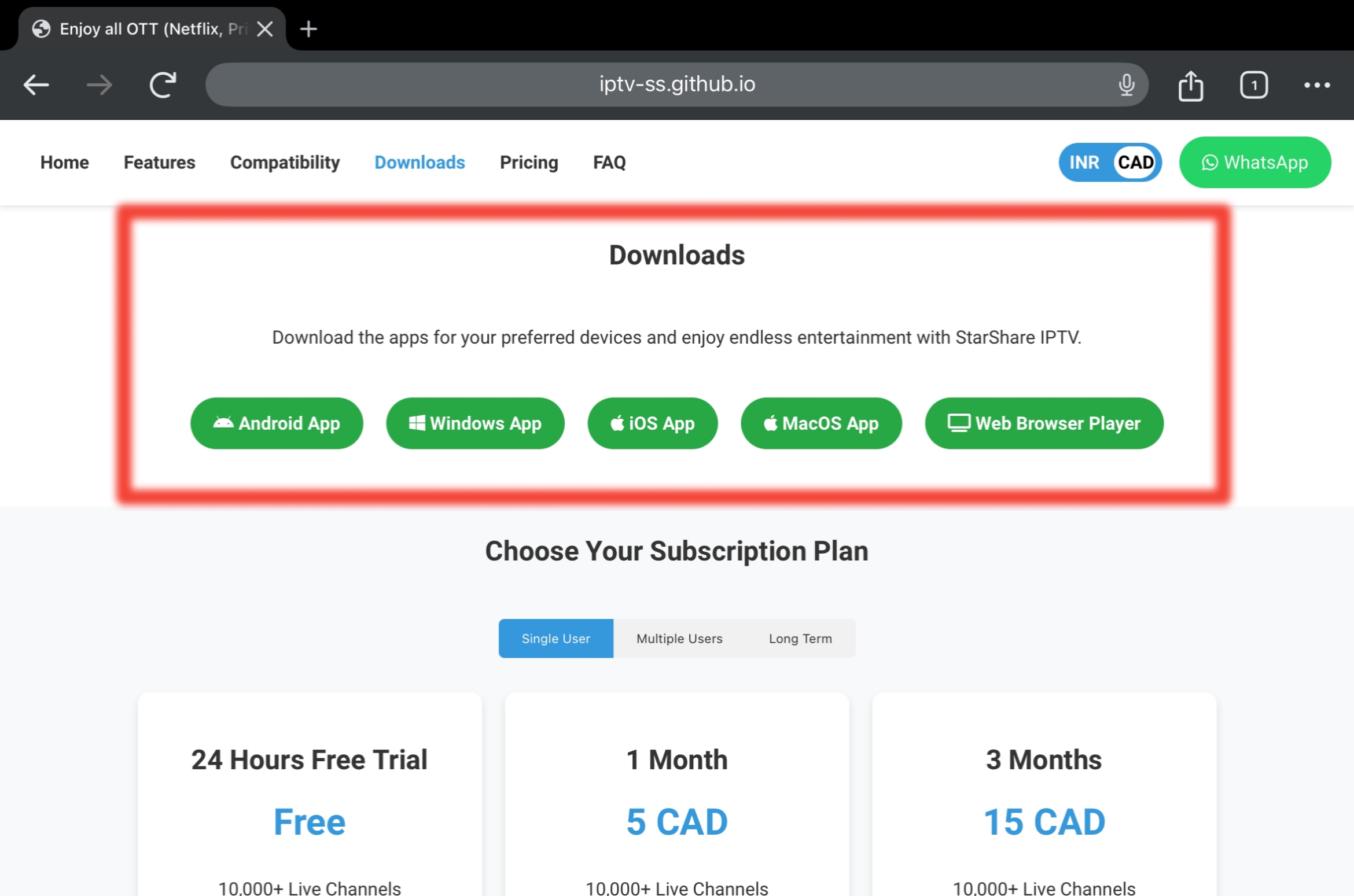
Step 1

Download the IPTV Smarters Pro app from our site by clicking here according to your device and install it. (For those who are using Web Browser Player or iOS can skip to Step 3)

Step 2: Select Your Device
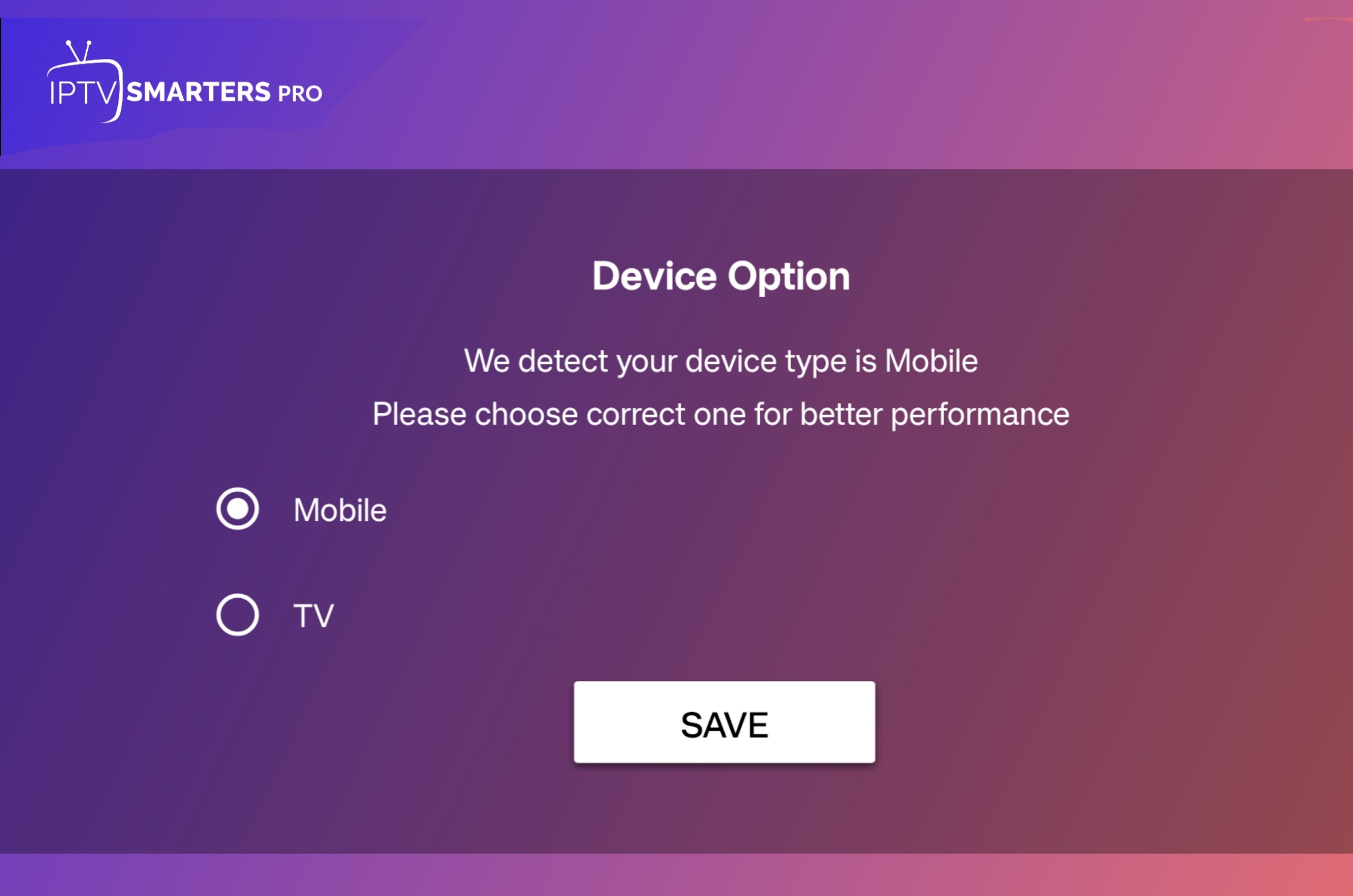
Step 2

Select the device you are using, either Mobile or TV.

Step 3: Configuration
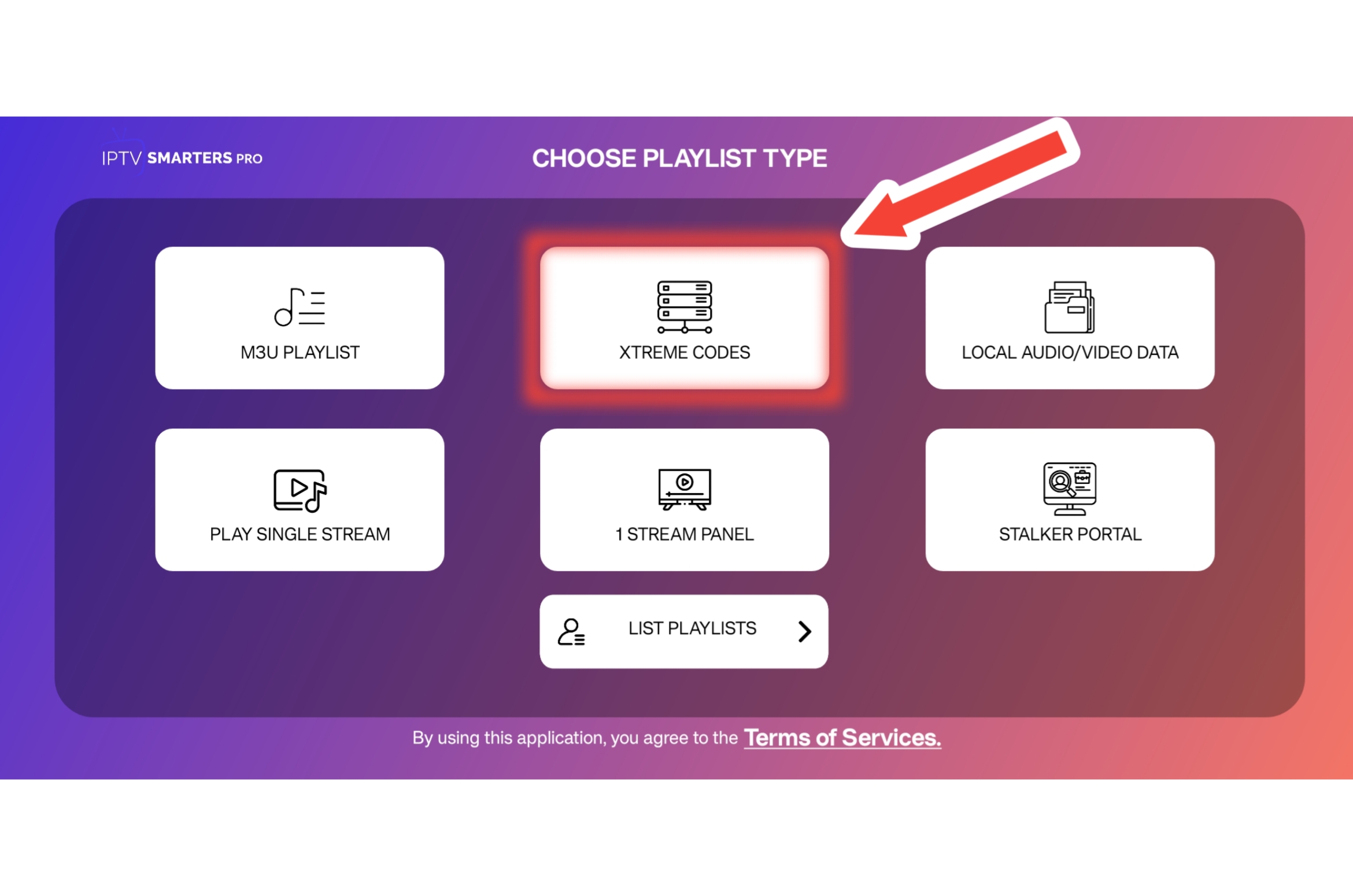
Step 3

Click on "Xtreme Codes."

Step 4: Enter Credentials
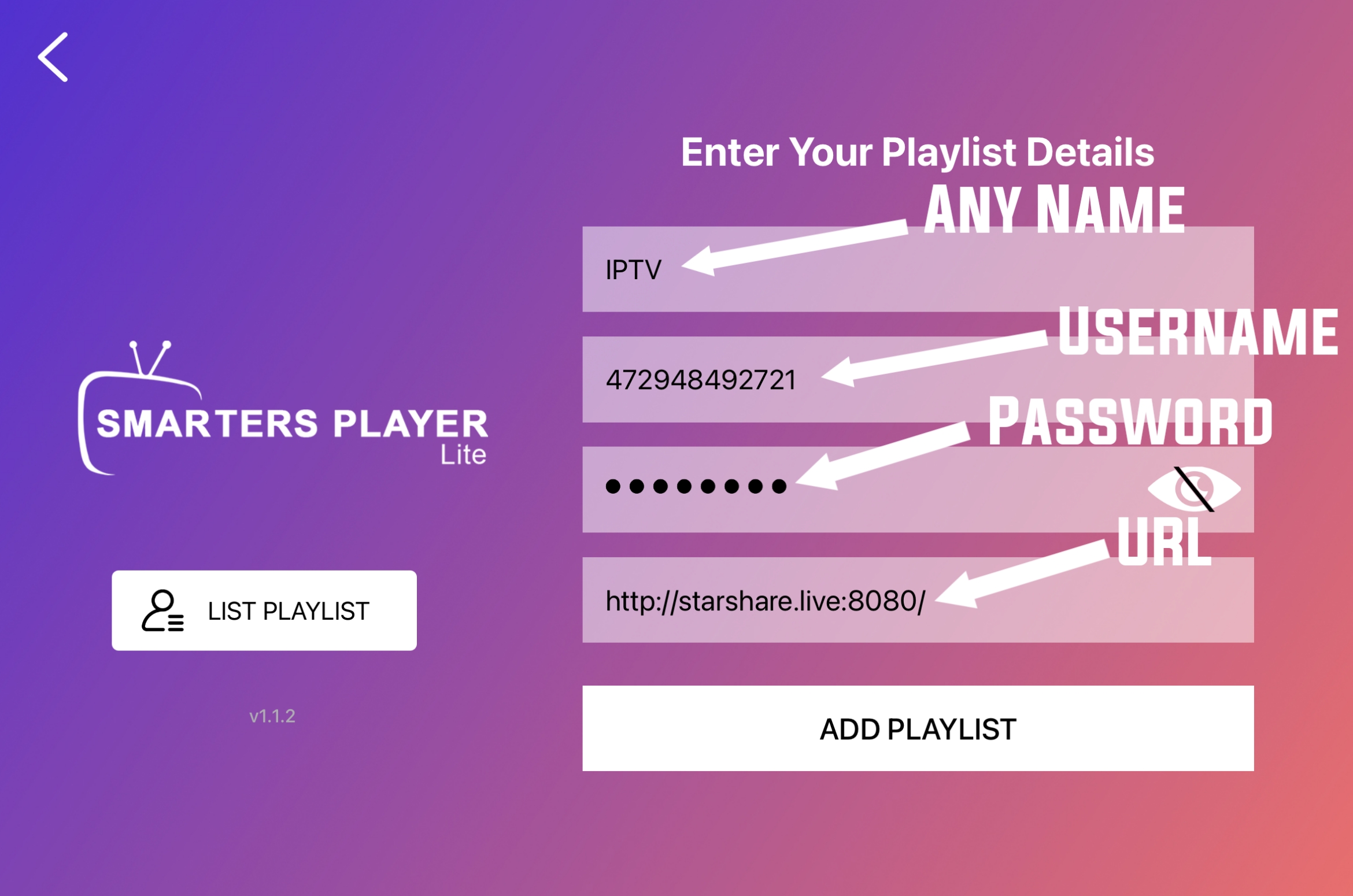
Step 4

Fill up the provided credentials. In "Any Name" field, write anything you want; in Username and Password fields, enter the details provided. For URL, type "http://starshare.live/8080/" and click on "Add Playlist."

Note: Many users copy and paste the server URL in Android phones, but the URL changes from http:// to https:// after pasting. Kindly remove the "s" and make it http://

Step 5: Download Information
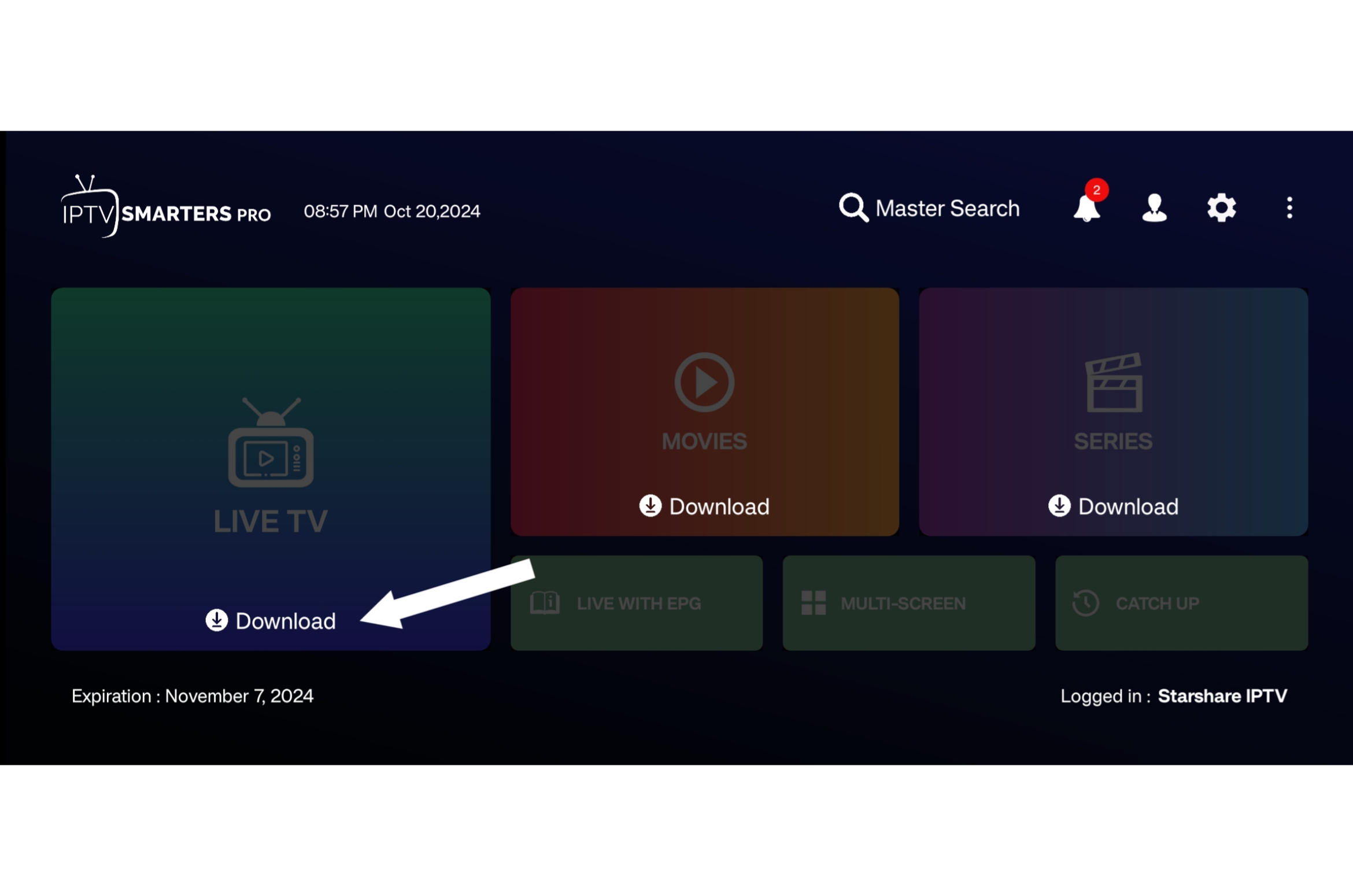
Step 5

Download all the information by clicking on icons of Live TV, Movies, and Series. (Not for iOS users).

Optional Steps: Allow Notifications (if prompted), Set-up Parental Pin (if necessary).

Enjoy Streaming
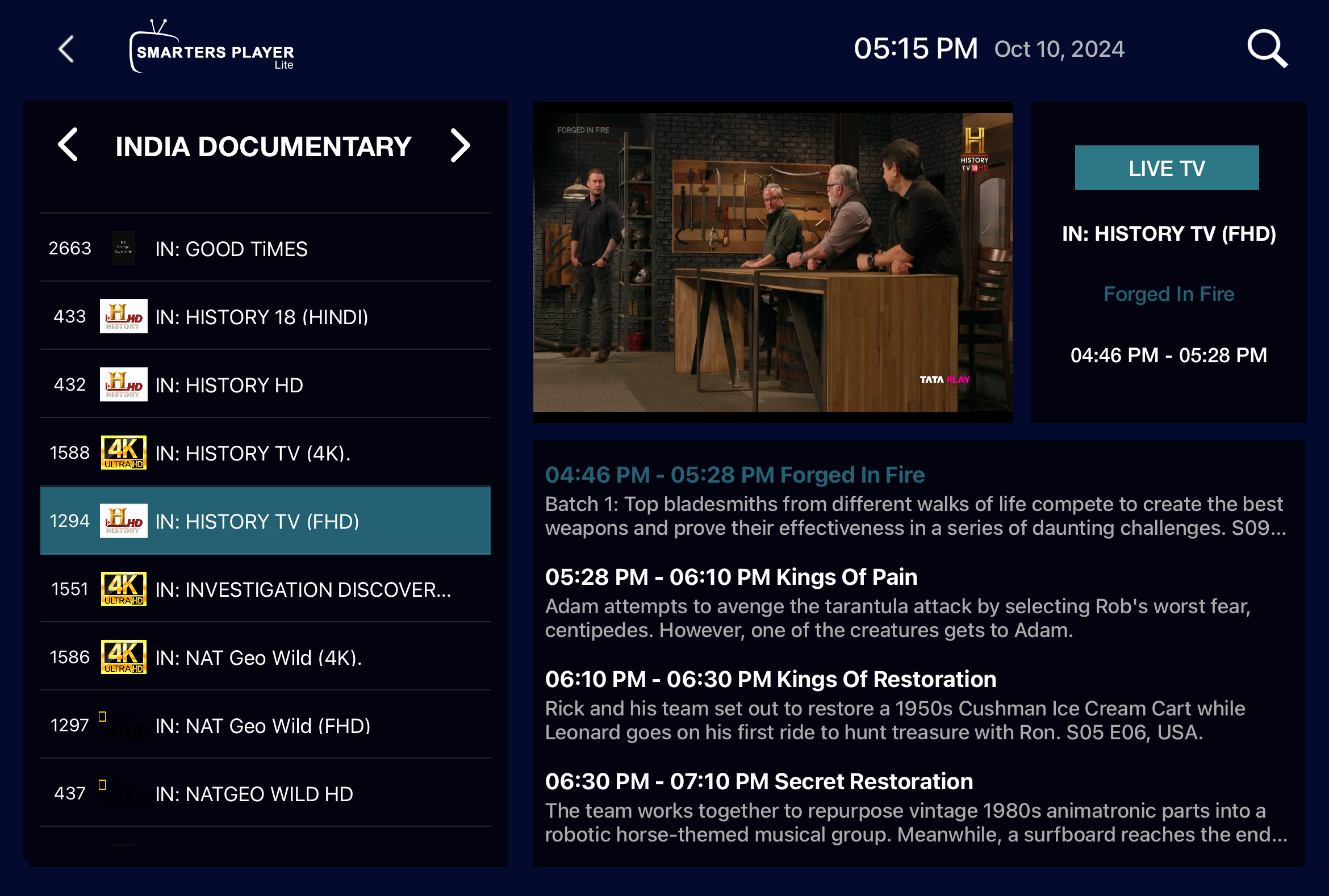
Enjoy Streaming

Start enjoying your streaming experience with access to over 10,000 channels and 60,000 movies and series!
Updated URL(s) For IPTV Login

If you are facing login issues or any service is not working, kindly try the updated URL(s).

URL(s) For Player

More URL(s) For Player

URL(s) for Smart Host

Need Help?

Still your issue doesn't get fixed? Contact us on WhatsApp.

Helpful Tips for Using StarShare IPTV

Enhance your viewing experience with these simple tips.

Step 1: Access Live TV Settings

Access Live TV Settings

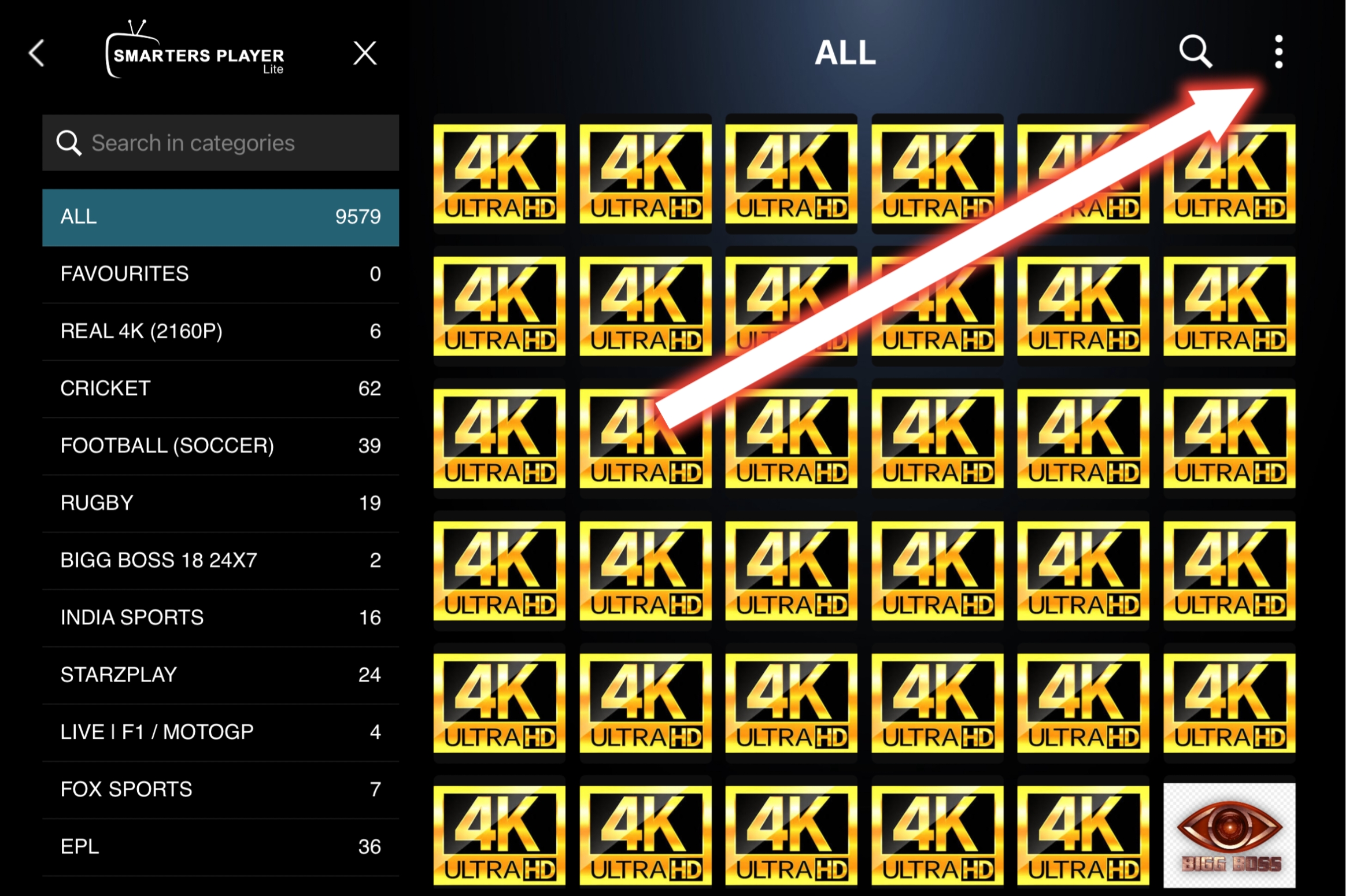
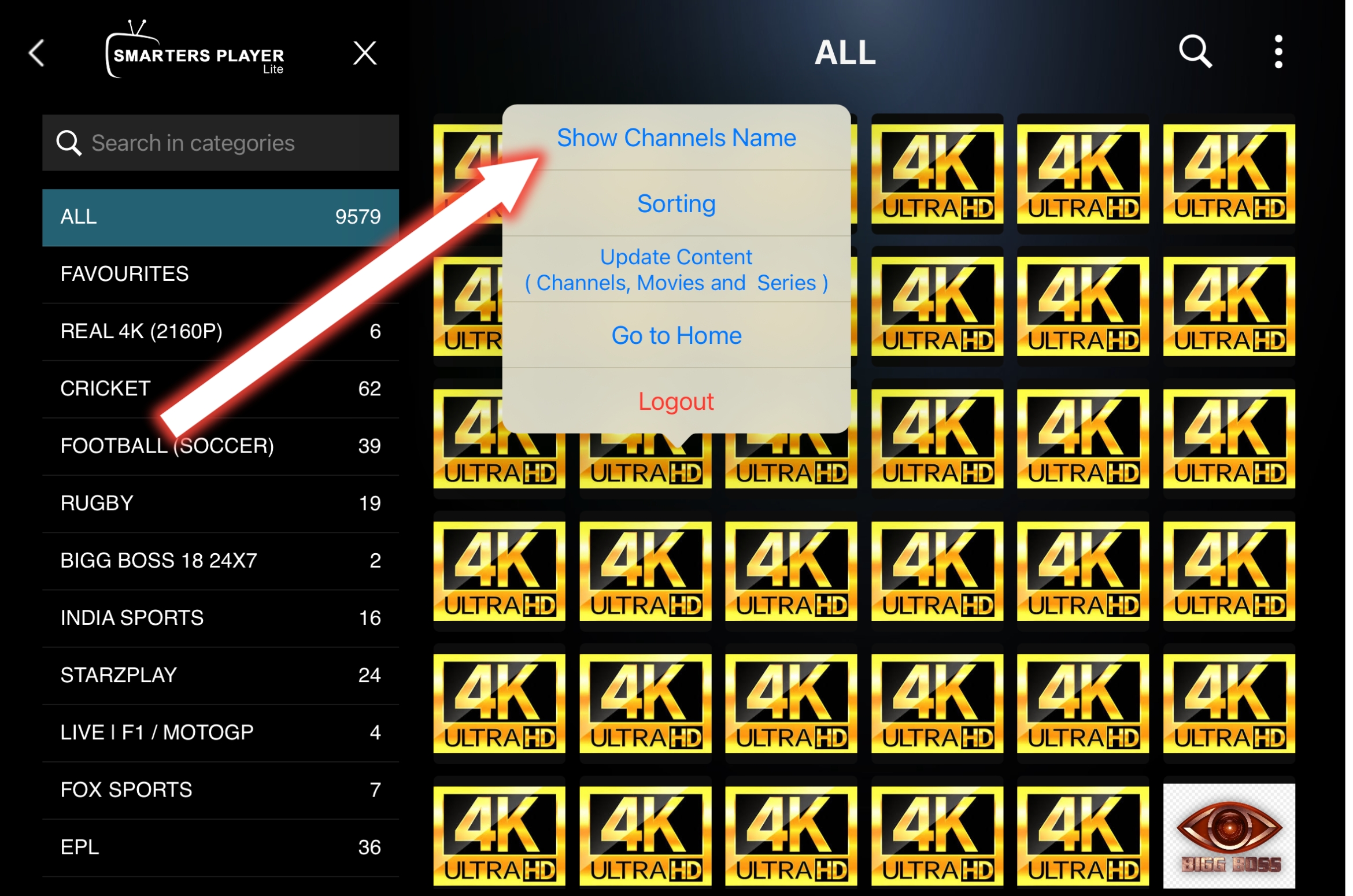
Open Live TV in the app, then click on the 3 dots on the top right corner.

Step 2: Show Channel Names

Show Channel Names

If the channel names are not showing, click on "Show Channel Name" to display them.

Step 3: Sort Movies and Series

Sort Movies and Series

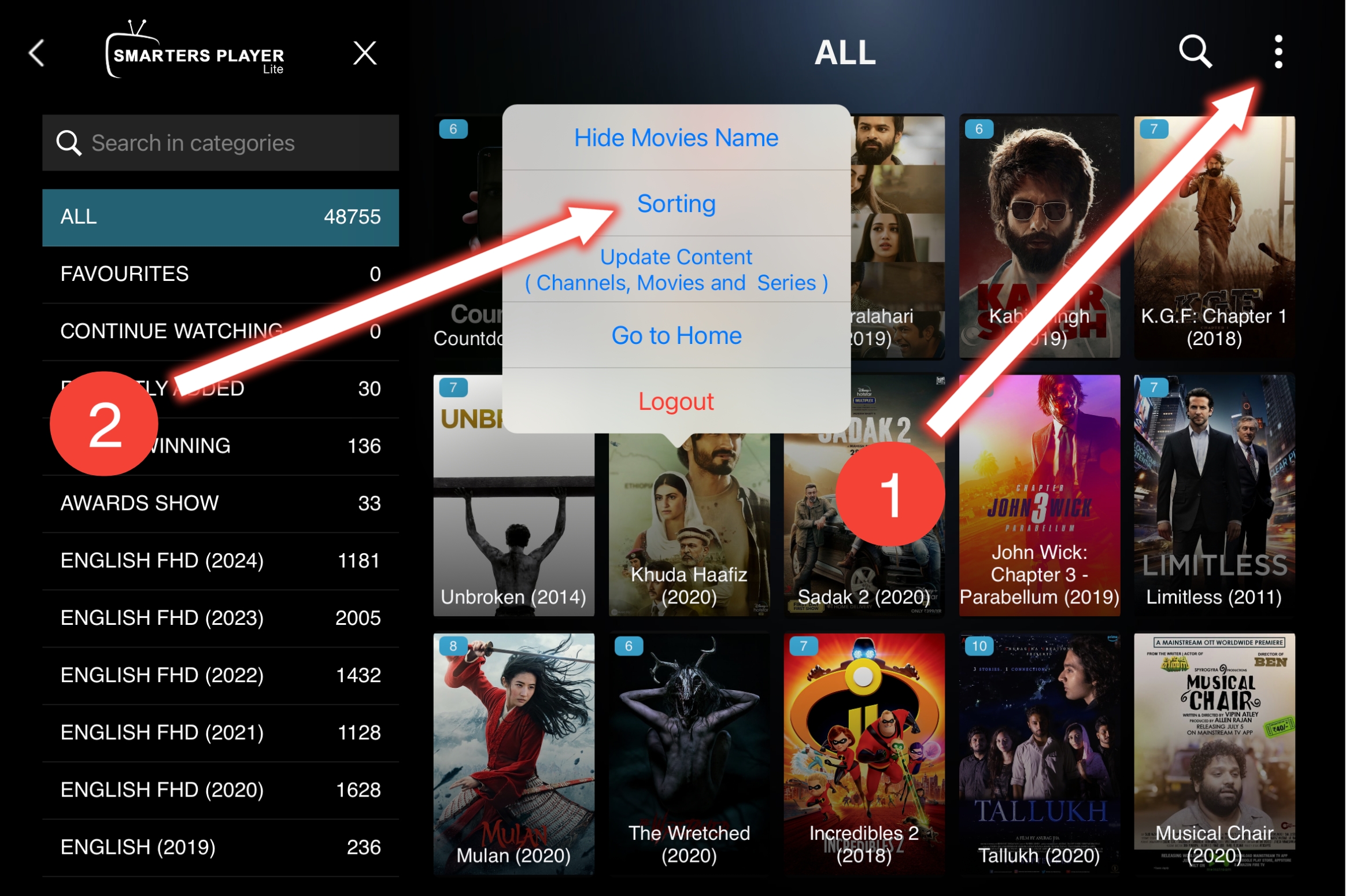
Open Movies in-app. In the 'Recently Added' category, you'll see 30 newly added movies. For more, go to the 'All' category, click on the 3 dots on the top right corner, click on 'Sort', and change from 'Default' to 'Recently Added'. Do the same for the Series category to get recent updates in every category.

Download MOD APK (optional)

Download MOD APK

For Android users, download the MOD APK of IPTV Smarters Pro by clicking here.

Also, there are some great alternatives available. You can find them in the FAQ section for Android and iOS.